یکشنبه دوازدهم مرداد ۱۳۹۹ - 17:49 - حسين حسين پور -
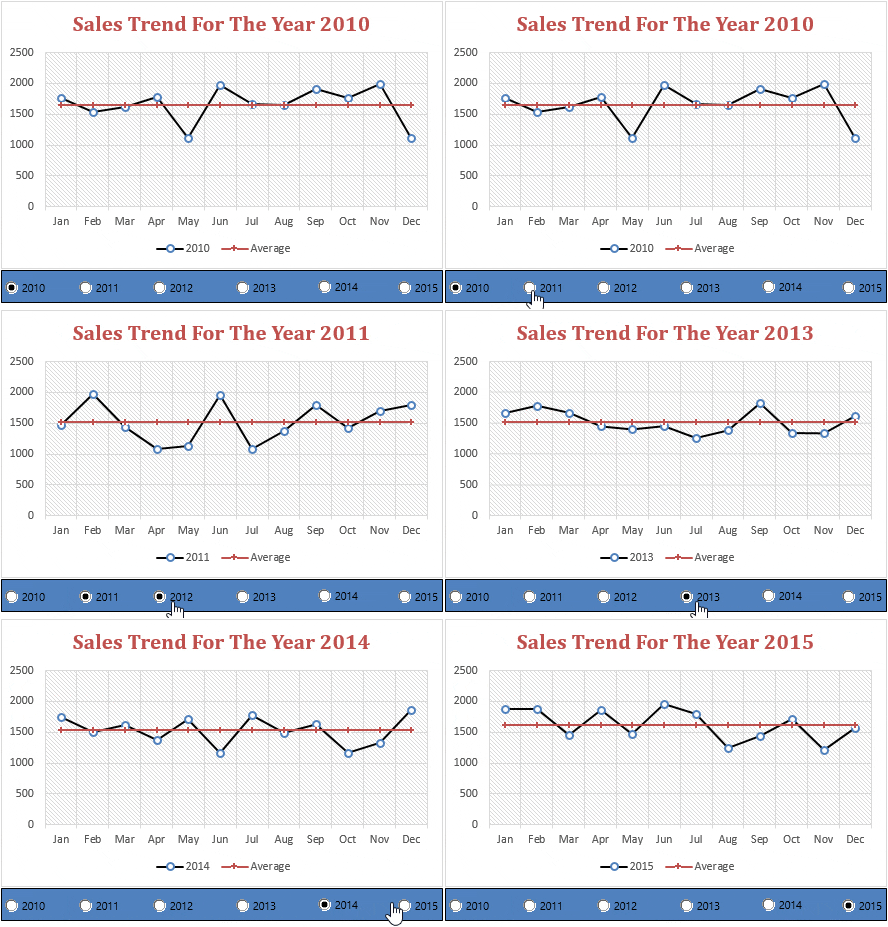
Add a Horizontal Target Line in Column Chart
This is one more method which I often use in my charts is adding a target line.
There are several other ways to create a Target Vs. Achievement chart, but target line method is simple & effective.
Steps to Add a Target Line
First of all, let me show you the data which I am using to create a target line in the chart.
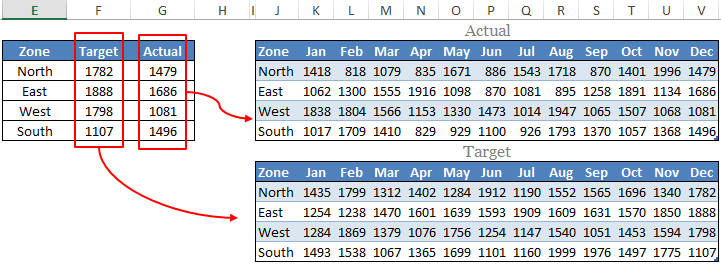
I have used above table to get the target and actual figures from the month wise tables and make sure to download sample file from here.
Now let’s start with the steps.
- Select the dynamic table which I have mentioned above.
- Insert a column chart. Go To Insert → Charts → Column Charts → 2D Clustered Column Chart.
- You’ll get a chart like below.
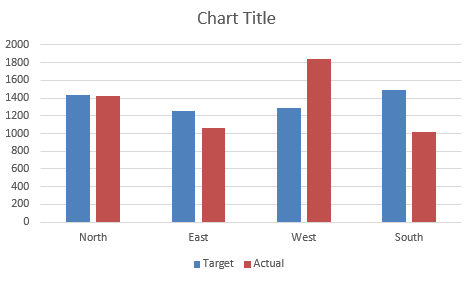
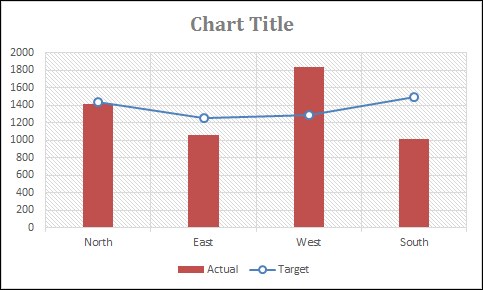
- Now, you have to change the chart type of target bar from Column Chart to Line Chart With Markers. To change the chart type please use same steps which I have used in the previous method.
- After changing chart type your chart will look something like this.
 با نام و یاد خدا